Create a
runbook.yml, push it, and observe BlueGreen execute the workflow with live logs and a graph view.
Overview
This guide shows how to create, commit, and run a minimal BlueGreen Workflow, to which we’ll refer to as a “runbook”. Follow the steps to trigger a workflow and inspect its execution in the BlueGreen dashboard.
Prerequisites
- A repository on GitHub or GitLab
- A BlueGreen account (https://bluegreen.ci)
- A BlueGreen project connected to your repository
Minimal example
Create a runbook.yml at the repository root:
name: "Getting Started with BlueGreen"
steps:- name: "Hello World" command: | echo "Hello, World from BlueGreen!"Commit and push the file:
git add runbook.ymlgit commit -m "Add initial BlueGreen runbook"git pushPushing the file will trigger a BlueGreen run for the repository.
Inspecting the run in the dashboard
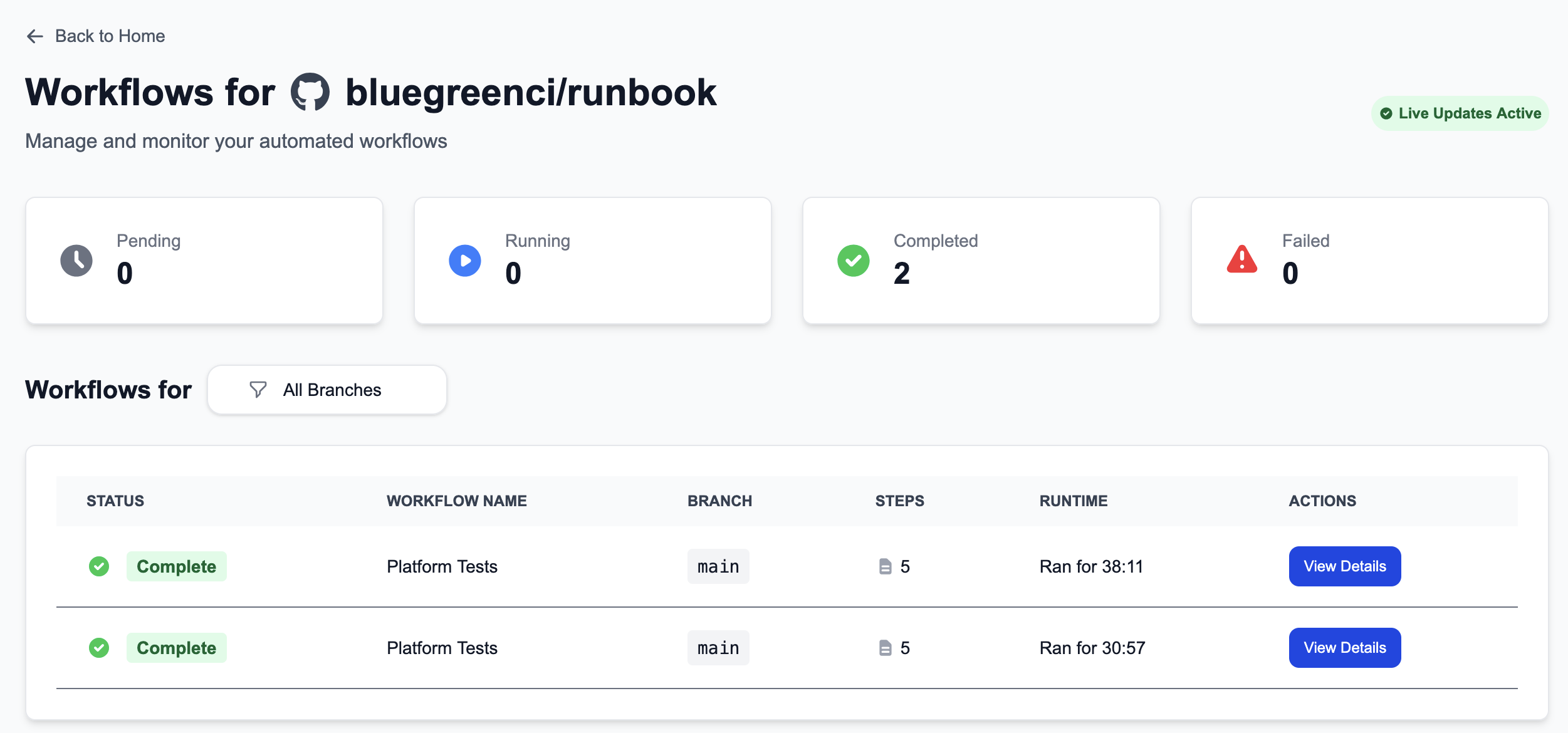
Open the Projects dashboard and select your project’s Workflows view to see recent runs. Selecting a run opens the Run Details page and displays status (Queued / Running / Succeeded / Failed):
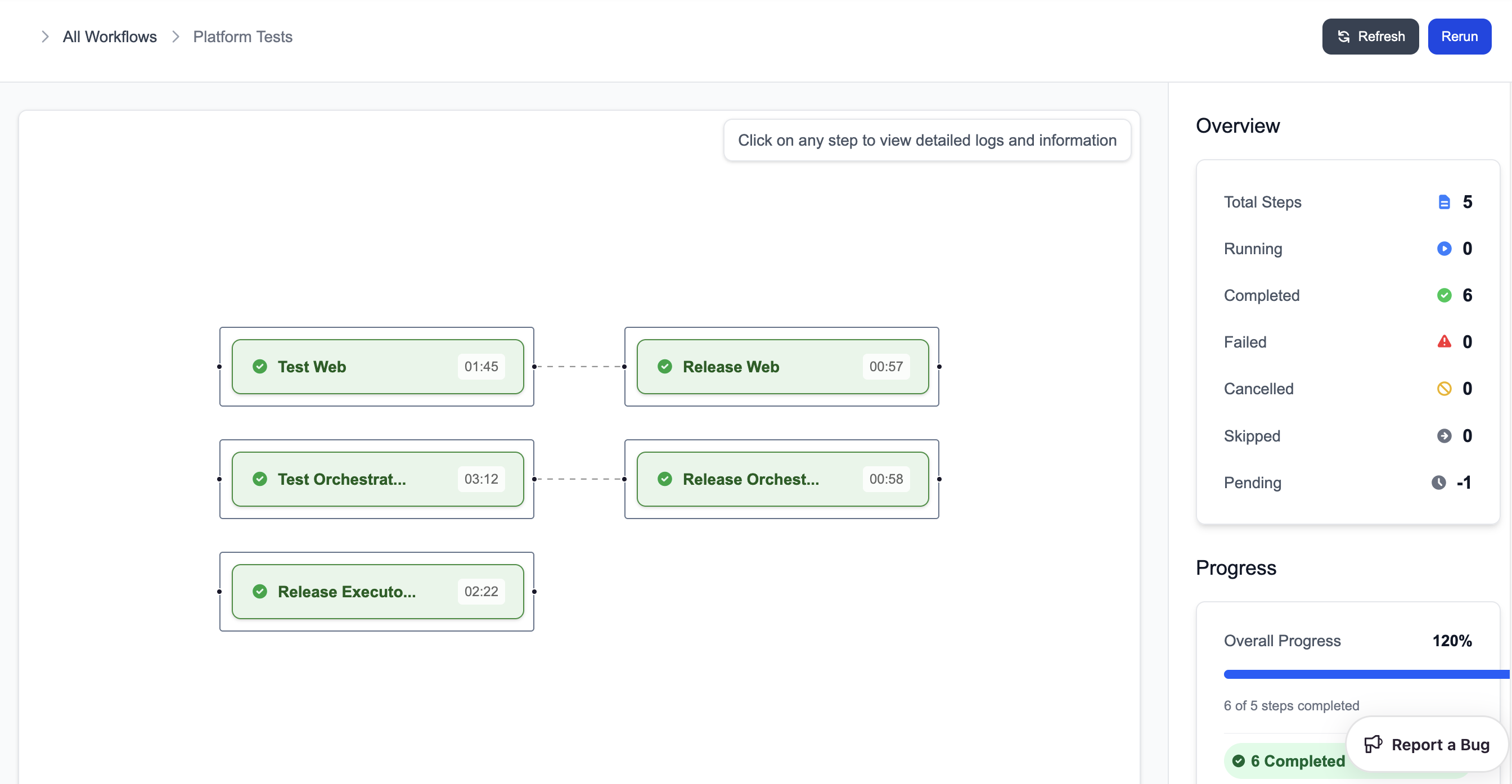
The Run Details view shows the execution graph and step dependencies:
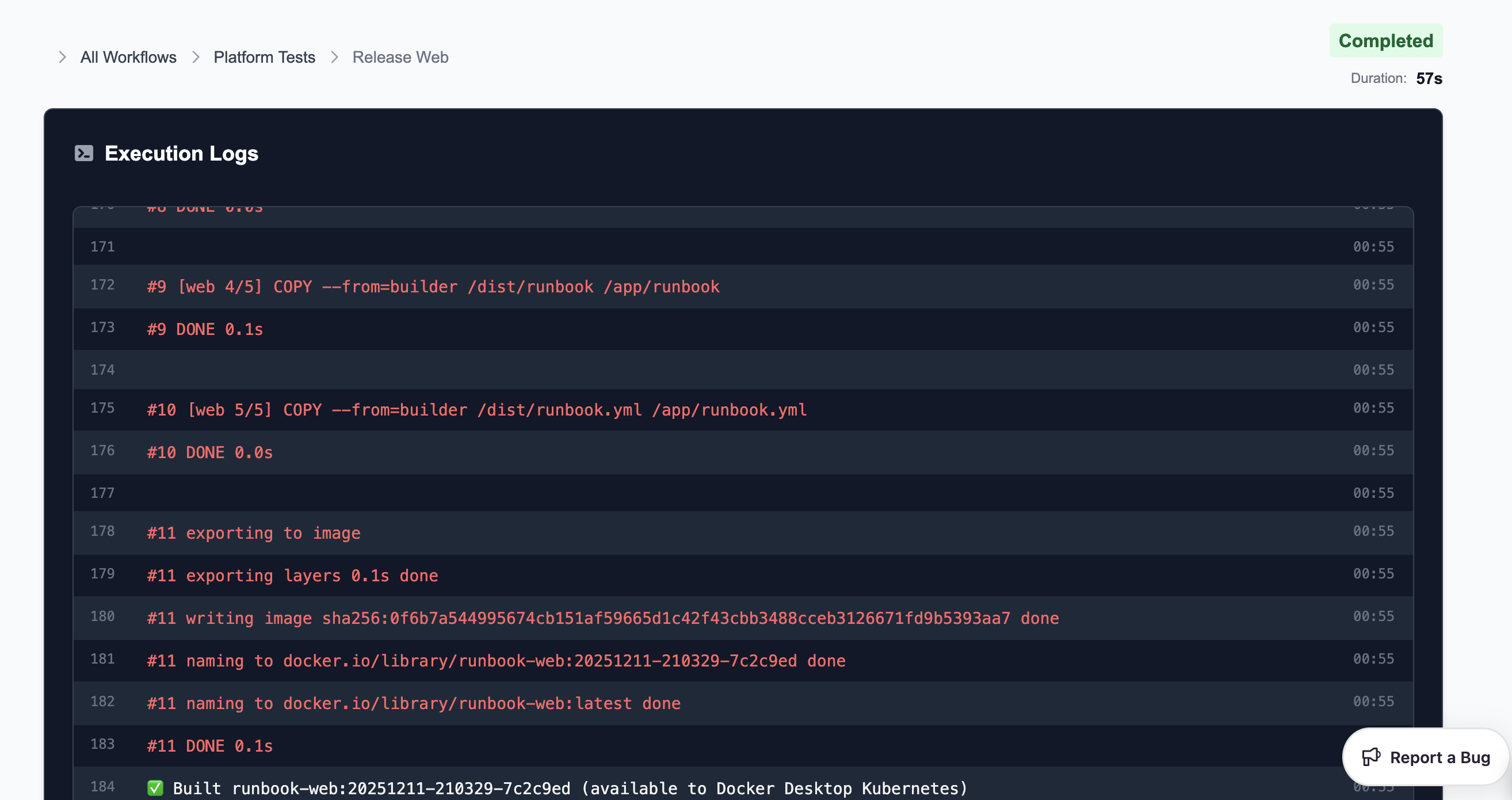
Selecting an individual step reveals live-streamed logs and persisted logs for post-mortem analysis:
Extending the example
Add a dependent step and an environment variable:
name: "Getting Started with BlueGreen"
steps:- name: "Hello World" command: | echo "Hello, World from BlueGreen!"
- name: "Greet" depends_on: ["Hello World"] env: GREETING: "Hi from BlueGreen" command: | echo $GREETINGWhat is a workflow?
A workflow is a declarative directed graph of steps defined in runbook.yml. Each step is a node and depends_on entries form edges. This model expresses ordering and parallelism explicitly.
A runbook describes:
- Steps to execute
- Inter-step dependencies
- Commands run for each step
- Environment variables that affect execution
- Optional global configuration
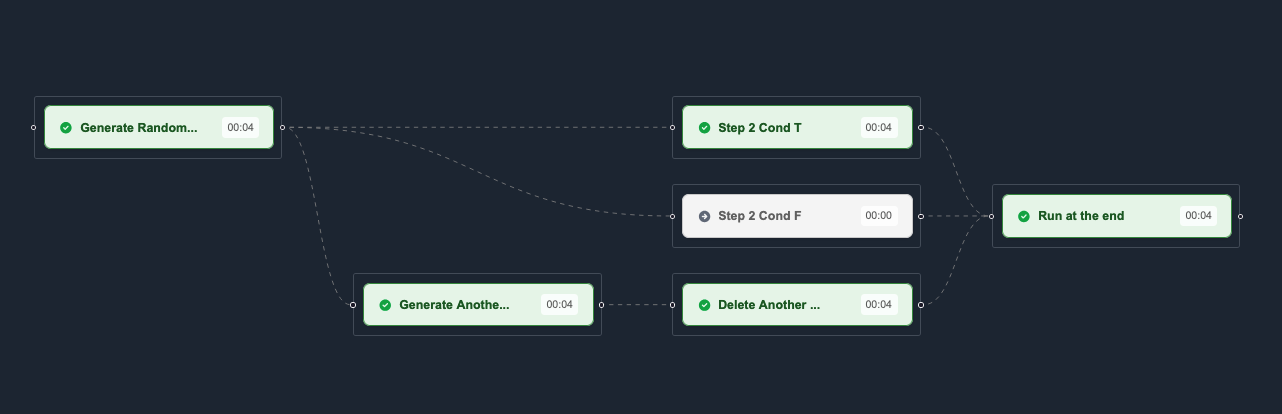
Example: expanded
Here is a slightly larger example demonstrating dependencies and environment variables:
name: "Getting Started with BlueGreen"
steps:- name: "Hello World" command: | echo "Hello, World!"
- name: "Later Gator" depends_on: - "Hello World" env: GREETING: "See you later, alligator!" command: | echo $GREETINGBehavior summary
Hello Worldexecutes first.Later Gatorwaits for theHello Worldstep (depends_on).GREETINGis injected as an environment variable for the dependent step.- Steps run in isolated containers and stream logs to the UI.
Real-world CI pipeline (example)
name: "CI Pipeline"
global: env: GO111MODULE: "on"
steps:- name: build command: go build ./...
- name: lint command: golangci-lint run
- name: test depends_on: [build] command: go test ./... -v
- name: quality-gate depends_on: [lint, test] command: echo "All checks passed!"Step properties
Each step supports the following properties:
| Property | Type | Description |
|---|---|---|
name | string | Unique identifier for the step |
command | string | Shell commands executed inside the step’s container |
depends_on | list[string] | Names of steps that must complete before this one |
env | map[string]string | Environment variables for the step (optional) |
Global environment variables
global: env: GREETING: "Hello from BlueGreen!"Step-level env entries override global variables.